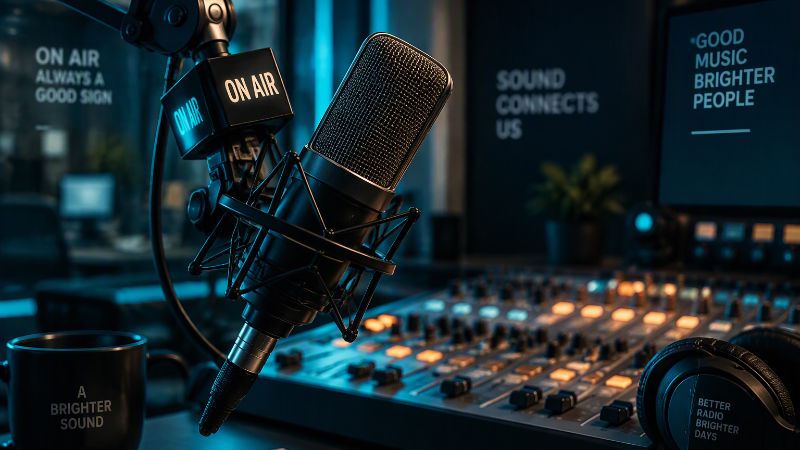
Starting an internet radio station in 2026 requires three things: a computer, an encoder, and a streaming server. Everything else is optional. Here is how to go from zero to live in under an hour.
What Is an Internet Radio Station?
An internet radio station streams audio over the internet to listeners anywhere in the world. Unlike FM radio, there is no transmitter licence, no frequency allocation, and no geographic limit. Anyone with a computer and an internet connection can start broadcasting today.
Step 1: Define Your Station
Before touching any equipment, decide what your station will sound like. Focused stations grow faster than general ones. Pick a genre, a mood, or a format -- music-only, talk, sports, religious, news -- and stick to it. Listeners follow stations with a clear identity.
Step 2: Get Your Equipment
The minimum equipment to start is a computer and a microphone. You likely already own both.
A USB microphone plugs directly into your computer and works immediately. For better audio quality, an XLR microphone connected through an audio interface gives you more control over levels, EQ, and monitoring.
You do not need a mixer to get started. Add one later if you bring in multiple sources or want live call-in capability.
Basic setup:
- Computer (Windows or Mac)
- USB microphone or audio interface with XLR microphone
- Headphones for monitoring
Step 3: Choose Your Audio Format
Internet radio stations stream in either MP3 or AAC. AAC delivers better sound quality at lower bitrates, making it the preferred choice for most modern stations. MP3 offers broader compatibility with older devices.
For most new stations, a 128 kbps AAC stream is the right starting point. It sounds excellent and uses bandwidth efficiently.
Step 4: Install an Encoder
An encoder is the software that captures your audio, compresses it, and sends it to your streaming server. Without an encoder, there is no stream.
SoundCast Streamer is a Windows encoder built specifically for internet radio. It handles Icecast and SHOUTcast connections, supports MP3 and AAC encoding, includes a 10-band equalizer, and displays your live listener count. The free edition covers MP3 streaming up to 64 kbps. The Pro edition unlocks all formats and bitrates.
Other popular encoders include RadioBOSS, SAM Broadcaster, and Mixxx.
Step 5: Get a Streaming Server
Your encoder sends audio to a streaming server, which distributes it to listeners. You need a server that runs 24 hours a day, handles multiple simultaneous listeners, and provides a stable stream URL.
The two most common server types are Icecast and SHOUTcast. Both work with SoundCast Streamer and most other encoders.
SoundCast offers managed Icecast hosting from $4/month. Your server is provisioned instantly, and connection details are available in your dashboard within minutes of signing up.
Step 6: Connect Your Encoder to Your Server
Once you have a streaming server, enter the connection details into your encoder:
- Host: your server address
- Port: typically 8000 or 8443 for SSL
- Mount point: the path listeners use to tune in
- Source password: provided by your hosting account
In SoundCast Streamer, these go in the Server tab. Click Test Connection to verify everything is working before going live.
Step 7: Set Your Station Identity
Fill in your station name, genre, description, and website URL in the encoder’s metadata settings. This information appears in media players and stream directories when listeners tune in. A complete station profile makes your station look professional and helps listeners find you.
Step 8: Go Live
Click the connect or go live button in your encoder. Your stream URL is now active. Share it with listeners, embed it on your website, and submit it to directories.
SoundCast stations are automatically listed on RadioFinder, a radio station directory at radiofinder.ca, the moment they go live.
What Does It Cost?
A basic internet radio station costs less than a mobile phone plan per month.
- Encoder: free with SoundCast Streamer
- Streaming hosting: from $4/month with SoundCast
- Microphone: $30 to $150 for a good USB model
- Music licensing: varies by country -- check with your local performing rights organisation
Common Questions
Do I need a licence to broadcast?
In most countries you do not need a broadcast licence for internet radio. You may need a music licence if you play commercial recordings. Requirements vary by country.
Can I run my station 24 hours a day?
Yes. Most broadcasters use automation software or playlist scheduling to keep the station running when they are not live. SoundCast Streamer supports relay streaming, which lets you forward another stream as a fallback when you are off air.
How many listeners can I have?
That depends on your hosting plan. SoundCast plans support from 150 to unlimited concurrent listeners. You can upgrade any time from your dashboard.
Start Today
You do not need a big budget or a technical background to start an internet radio station. The tools exist, the hosting is affordable, and the audience is global. The only thing left is to start.